Sites and Networks, designing print routing for one customer
How Printix's Site / Network model controls who-prints-where, the BYOD and zero-trust paths, and the design choices that decide whether a multi-office customer scales cleanly.
In the Beginner course, Sites and Networks were “the place to look up where a user is.” This lesson is the design decision behind that model. A Printix tenant’s Site / Network shape is what makes a 120-person, three-office customer either a tidy admin job or a long-running mess.
The model in the console
The Sites page is split into three panes: the folder / site tree on the left, the per-site networks in the middle, and the printers attached to each network on the right. That layout is the model itself, surfaced in the UI.
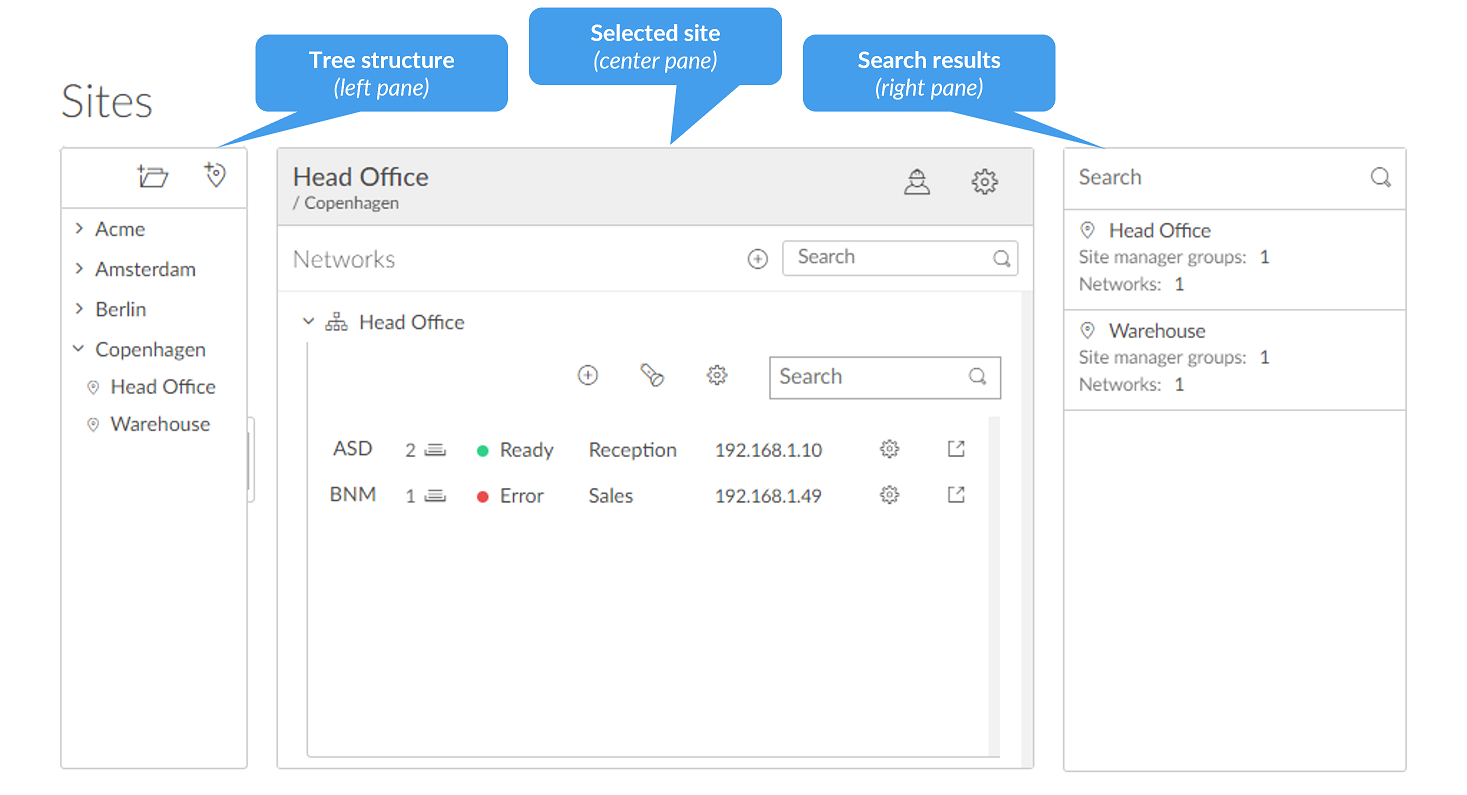
Up to four levels deep. Plan the structure before importing sites; restructuring after groups attach to folders is painful.
A Site is a logical office. Printers belong to the Site of their Network. Don’t manufacture sites for “future growth”; one office, one Site.
Each Network is identified by gateway IP plus MAC. LAN and Wi-Fi commonly create two networks under one Site; merge if logically the same subnet.
A printer belongs to one Network, and so to one Site. This is the chain that decides which user sees which printer.
The rules:
- A Site is a logical grouping of one or more Networks.
- A Network belongs to exactly one Site.
- A Printer belongs to the Site of its Network.
- Folders group Sites into a tree, up to four levels deep, by region or country or city, however the customer thinks about it.
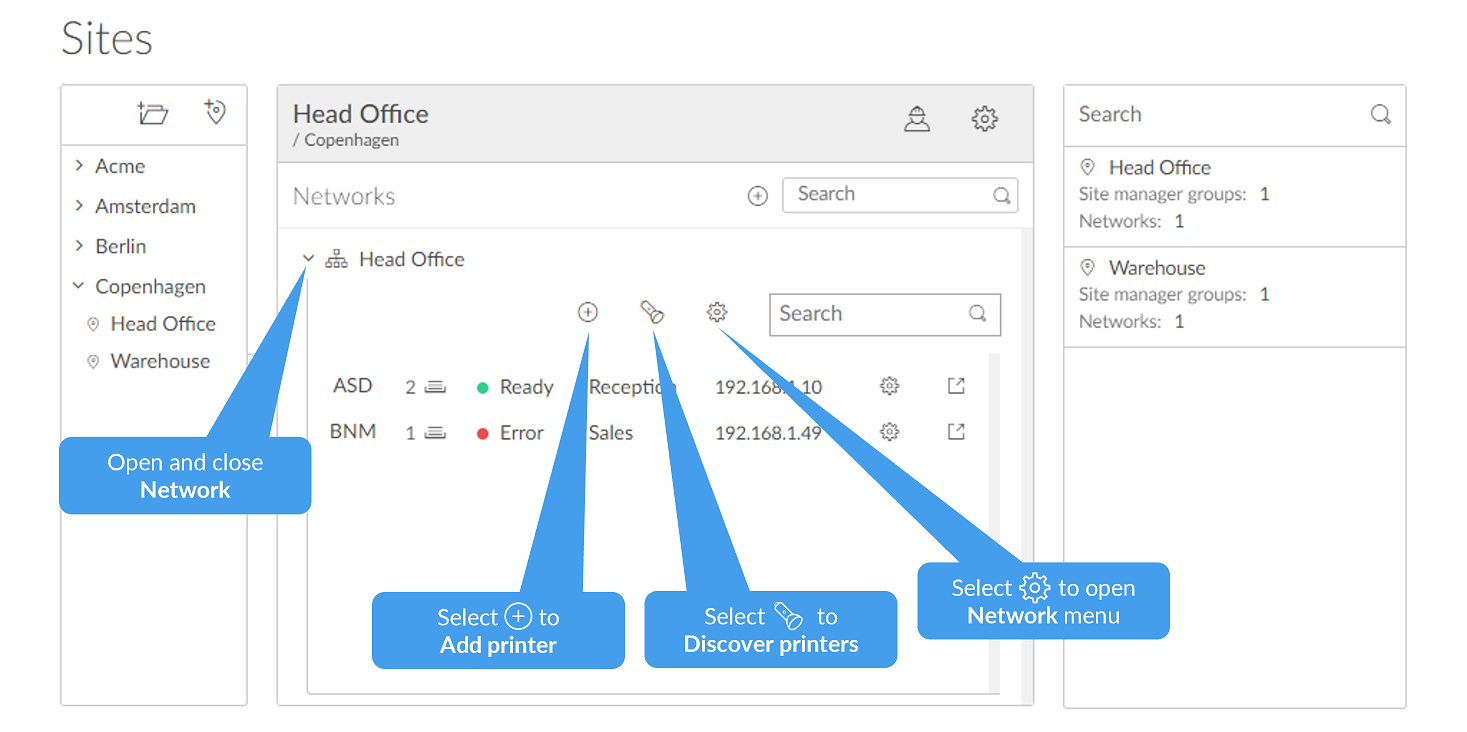
- A Site manager group (a Microsoft Entra or Google group) gets the site manager role on a Site or Folder; the people in that group can administer printers, queues, and history for those sites only.
A Network is identified by gateway IP and MAC. When a user’s computer comes online, Printix figures out which Network it’s on by matching the gateway. From there, Printix knows which printers to offer the user (queues belong to a Site, the user’s computer is on a Network in a Site).
The four design questions
Before creating a single Site, walk these questions with the customer:
| Question | Why it matters | Default answer for SMB |
|---|---|---|
| One site or multiple? | A single-office customer with one network gets one Site. Multi-site is for distinct office locations. | One. Don’t manufacture sites. |
| Folder hierarchy? | A growing customer with offices in multiple cities benefits from country / city folders for delegation. | Flat, until there’s >5 sites. |
| Zero-trust or BYOD networks? | If users print from networks where Printix doesn’t trust the gateway, you need explicit zero-trust or BYOD configuration. | Trusted internal networks only. |
| Delegated site management? | If local IT at a satellite office should self-serve printer adds, they need a Site manager group. | MSP-managed centrally. |
The trap is over-engineering. A 30-person customer with one office and one Wi-Fi gateway needs one Site. Don’t build a folder structure for “future growth” that gets abandoned.
Network gotchas worth knowing
The Printix Administrator’s Networks page has a few traps that bite during onboarding:
- Two adapters create two networks. If a print server has both LAN and Wi-Fi active during install, Printix creates Network1 and Network2 with the two different gateways. Documented behaviour: “If the networks are logically the same…you should merge the networks.” Otherwise users on either adapter only see half the printers.
- Unknown networks. When a computer reports a gateway Printix has never seen, it lands in Unknown networks. Frontline tech move: identify it, then either add it as a gateway to an existing Network or create a Network for it. A pile of unknown networks is a sign nobody’s tending the tenant.
- Zero-trust networks. Customers with a zero-trust posture (no broadcast, segmented gateways) need an explicit configuration so the Printix Client can still figure out which Site it’s on. The implementation checklist treats zero-trust as a yes/no planning decision; if the answer is yes, follow the dedicated zero-trust setup steps before deployment.
A worked design: Able Moose Accounting (mid-market)
Able Moose has grown. Now 120 people across three offices: Sydney (head office, 70 staff), Melbourne (40 staff), and Brisbane (10 staff). Hybrid work is widespread. The MSP runs everything centrally.
Folder layout
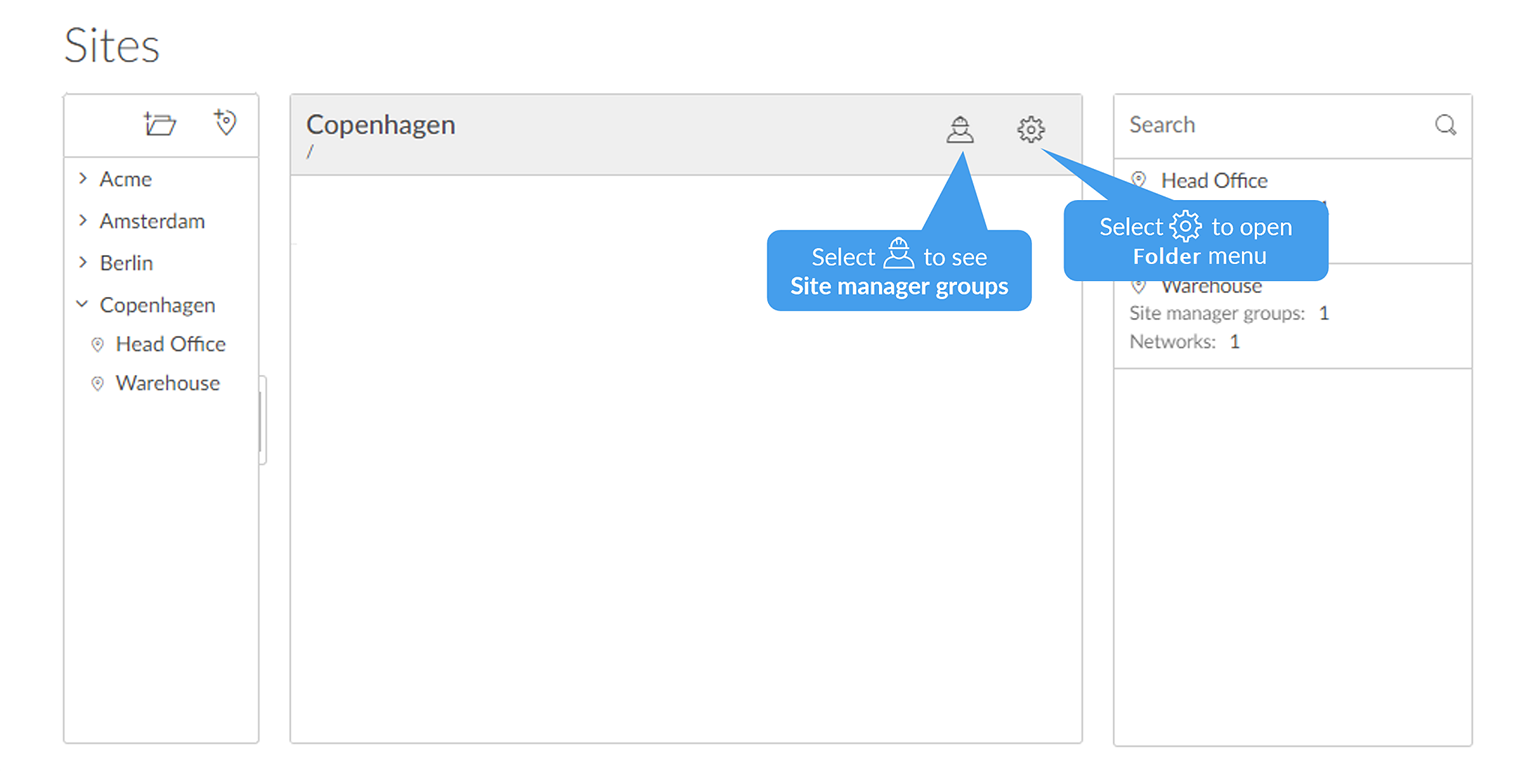
Top folder: “Australia”. Three child Sites under it: “Sydney HO”, “Melbourne”, “Brisbane”. No need to go four levels deep yet; Australia is the only country.
Networks per site
Sydney HO has wired (192.168.10.0/24) and Wi-Fi (192.168.20.0/24) on different gateways. Two networks under Sydney HO; logically the same so they’re separate networks under one Site. Melbourne and Brisbane each get one Network.
Site manager groups
Brisbane’s office manager wants to add a printer when they get a replacement next month. Create an Microsoft Entra group “Printix-SiteManagers-Brisbane”, add the office manager, attach it as the Site manager group on the Brisbane site. They can self-serve there without seeing Sydney’s printers.
Hybrid worker handling
Anyone working from home is on a network Printix doesn’t recognise. They print to Printix Anywhere (released at the office printer they walk up to next time), or via Print Later with cloud storage so the job survives a closed laptop. “Home office” in Printix terms is a group plus a Print Later print queue, not a discrete network type; specific home printers don’t need a corporate network if the user releases through Print Later or Print Anywhere. Don’t try to add residential gateways one by one to corporate Sites.
The key architectural decision: Sydney HO is one Site with two Networks rather than two Sites with one Network each. Site managers and group access apply at Site level; splitting the office in two would mean duplicating delegations.
What this is NOT
- Not user-permission management. This lesson is about routing print jobs by network location. Per-printer access (who’s allowed to print where) goes through Microsoft Entra or Google Groups attached to print queues; that’s the authentication-and-groups lesson next.
- Not a multi-customer model. Sites and Networks are per Printix Home (per customer tenant). Running Printix across many customers is a Partner Portal / multi-tenant problem, covered in the Advanced course.