Allowing a single domain, scope, format, and the note field
Add a properly-scoped Allow list entry to the right policy in the right organisation, with the note field filled in so the next tech knows why it exists.
When the query log triage comes back as “false positive, narrow scope,” the fix is an Allow list entry. DNSFilter has two places to put it: per-policy Allow lists, or organisation-wide Universal lists. Pick the narrowest scope that fits the request.
Where Allow lists live
In the console, per-policy Allow and Block lists live behind tabs inside a Filtering Policy; Universal lists live at the org level under Settings.
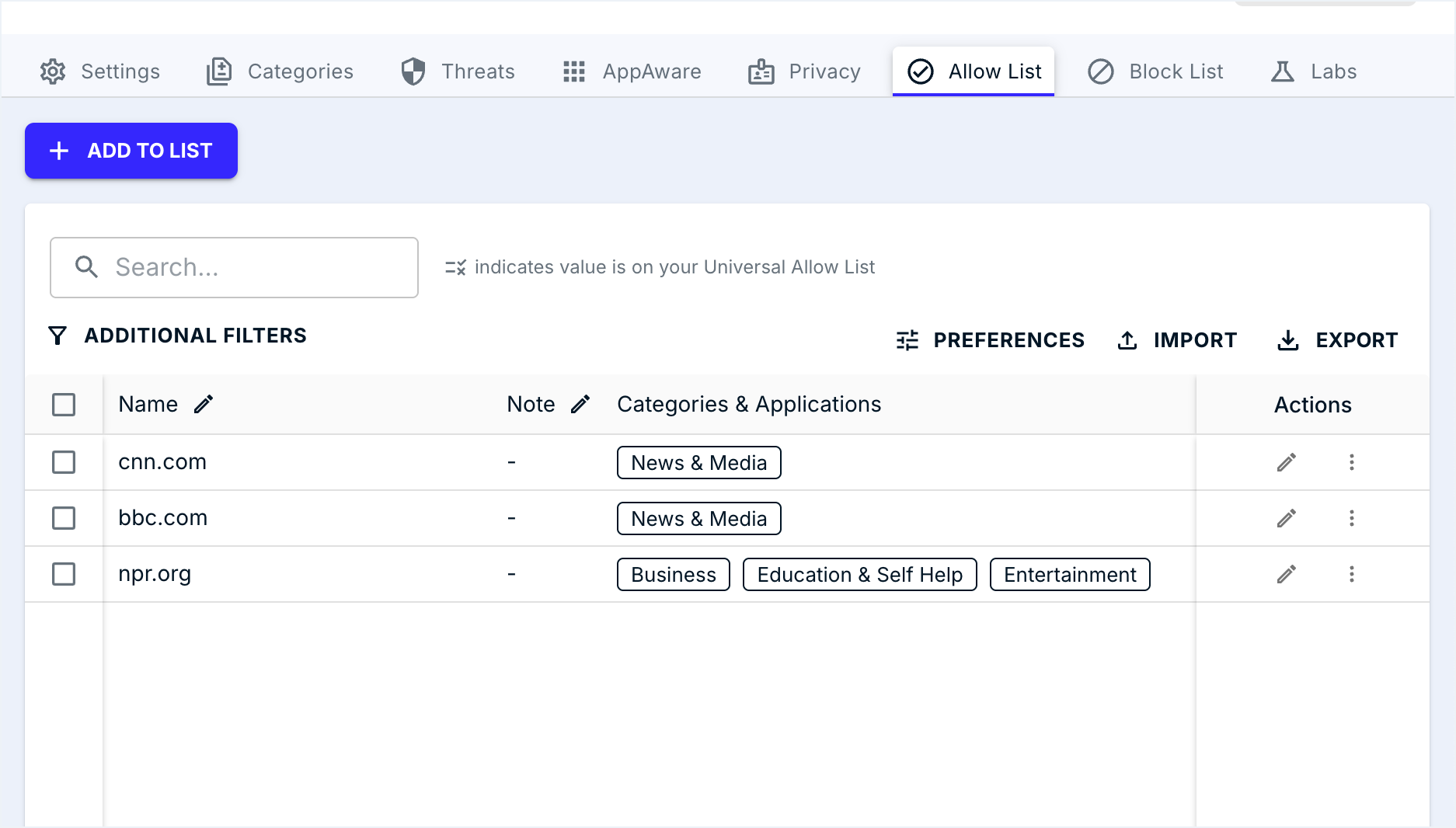
Universal Allow / Block lives at the org level; per-policy lists live under Filtering Policies. Both fall under Settings.
The active tab is the only one applying writes. A wrong-tab paste is the most common helpdesk mistake.
Adds one FQDN with a Note. The Note is the field future-you reads to figure out why this entry exists.
Bulk and CSV are migration moves. Per-ticket additions go through ADD TO LIST so the Note field stays populated.
Without a Note, every quarterly review becomes a guessing game. Convention: ticket-id, owner, date.
Allowlist the exact FQDN you saw blocked. Apex-vs-subdomain matching is policy-design territory.
The cardinal rule, straight from DNSFilter’s documentation: Allow lists always win. If a domain appears on the Universal Allow list for the organisation, or on the Allow list of any policy that applies to a query, no category block, threat feed, or block-list entry can override it. That’s why scope discipline matters so much, a Universal Allow opens the door for everyone in the org.
The format
Entries are Fully Qualified Domain Names (FQDN). Format examples:
cdn.supplier.example, exact subdomain only.supplier.example, apex. Apex-vs-subdomain matching is covered in the policy-design lesson; for frontline work, allowlist the exact FQDN you saw blocked.
The size caps are different depending on which list you’re touching:
| List type | Cap | When to use |
|---|---|---|
| Per-policy Allow / Block list | Thousands of entries (check the Policies dashboard for the live cap) | Day-to-day frontline ticket fixes. Scope is exactly the policy you’re editing. |
| Universal Allow / Block list | Up to 1,000 domains | Org-wide rules only. Smaller cap is deliberate. Universal isn’t for ticket churn. |
There are three ways to add entries: one at a time (and you can attach a note inline), bulk paste, or upload. For frontline work, single-domain ticket fix, always use the one-at-a-time path so the note ships with the entry.
The four mistakes that cost frontline techs
| Mistake | What goes wrong | What to do instead |
|---|---|---|
| Adding to the wrong organisation | The customer raising the ticket isn’t the customer where you made the change. They’re still blocked; some other tenant now has an entry they didn’t ask for. | Verify the org name in the dashboard header before clicking Add. |
| Picking Universal when policy-specific would do | One customer’s request becomes a permanent global hole for that MSP. | Default to the Allow list of the specific policy. Use Universal only when the MSP genuinely wants every customer to inherit the entry. |
| Apex when subdomain would do | supplier.example may inadvertently allow risky subdomains the threat feed actually wanted to block. | Allow the exact FQDN the user needs. If they need more, they’ll come back with another ticket, and that’s correct behaviour. |
| Empty note field | In six months nobody knows why the entry exists. The cleanup turns into a guessing game. | Note pattern: <ticket-id>, <who asked>, <why>. Future-you will thank you. |
A worked ticket: Able Moose Accounting
Sarah’s supplier portal at quotes.supplier-northwind.example is blocked under Newly Registered Domain. Sarah confirms her supplier rebranded last week. The MSP confirms the supplier is real.
Confirm the org
Header reads “Able Moose Accounting.” Good.
Open the policy in scope
Sarah is on the “AMA. Standard” policy. Open its Allow list.
Add the FQDN with a note
Entry:
quotes.supplier-northwind.example. Note:TKT-4821. Sarah Lee, finance, supplier rebrand, NRD false positive, valid as of 2026-05-08.Verify
From a test device on Sarah’s Site (or from her own machine after a flush), re-query the domain. Allowed. Update the ticket with the verdict from the query log and close.
What this is NOT
- An Allow entry isn’t a recategorisation. It fixes this customer’s policy only. DNSFilter’s category data still shows the domain as Newly Registered. To fix it everywhere, submit the domain via the Domain Report Tool.
- It isn’t the right fix for systemic blocks. If a customer is allowlisting twenty domains in one category, the answer is a policy change (covered in the Intermediate course), not more entries.